
A user's role has two parts, both set in the Edit User window under Roles & Capabilities: one Global Access Level, and any combination of four capabilities. A System Administrator sets both from Team Members in Settings.
This article explains what each level and capability is for and how to change them. Which buying rates and margins a user can see is a separate setting — see How to set pricing permissions per user.
Before you start
- You must be a System Administrator. Only users with the System Administrator access level can change another user's role.
Global Access Level
| Level | What it is for |
|---|---|
| Standard User | The day-to-day work in Freightools. New users start at this level. |
| System Administrator | Everything a Standard User does, and also managing your company's Settings and its users in Team Members. |
| Restricted User | Sees only their own records. Not every company has this level. |
Keep at least one System Administrator in your company. Without one, nobody can add, edit or deactivate users.
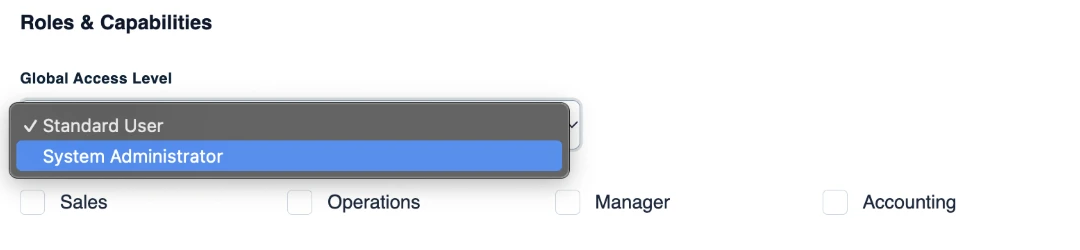
Capabilities
Tick any combination; a user can have several capabilities.
| Capability | What it gives the user |
|---|---|
| Sales | They can be picked as the Sales User on a customer or supplier. |
| Operations | They can be picked as the Operations User on a customer or supplier. |
| Manager | Unlocks approvals. |
| Accounting | Unlocks the finance actions on invoices — see Understanding invoice statuses in Freightools. |
Change a user's role
- Click your name or avatar in the top-right corner and choose Company Settings.
- In the left-hand menu, click Team Members.
- Click anywhere on the user's row. The Edit User window opens.
- Under Roles & Capabilities, choose the Global Access Level.
- Tick or untick Sales, Operations, Manager and Accounting.
- Click Save Changes. Freightools shows "User saved successfully."
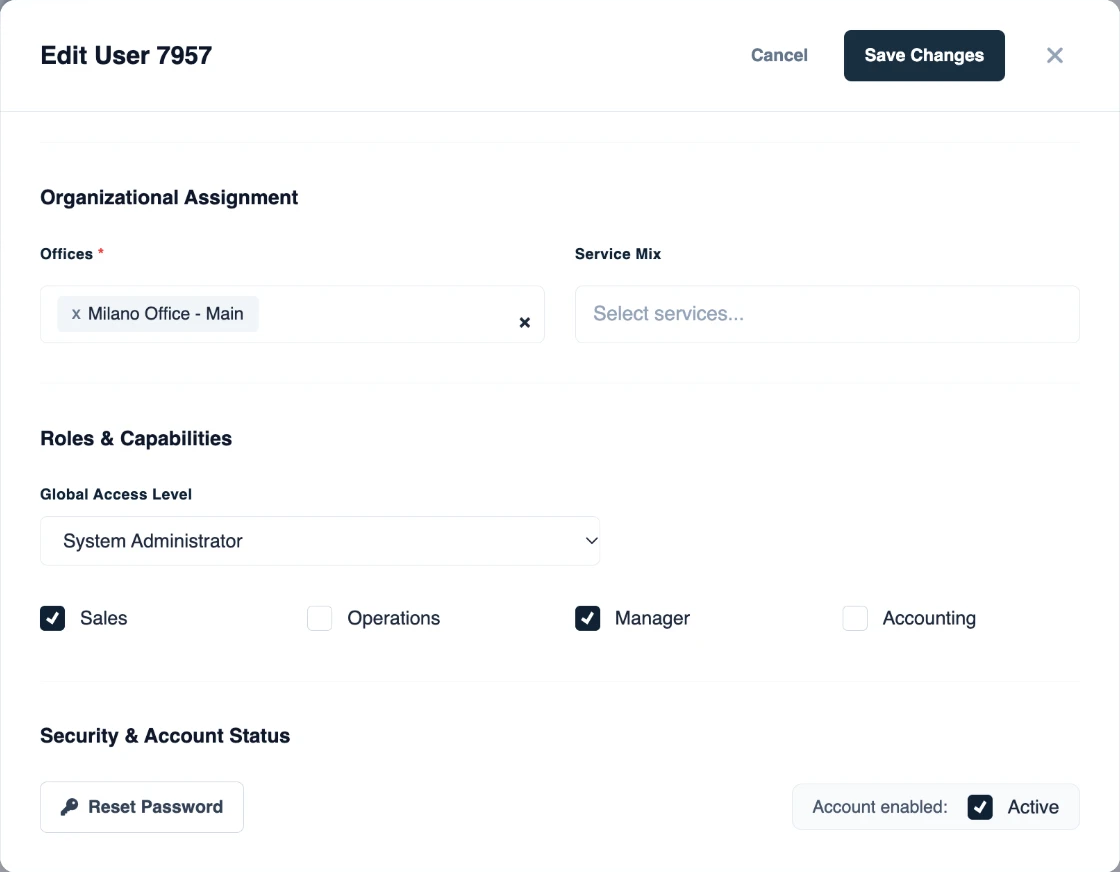
Note: A user's own profile shows only Sales and Operations. Manager and Accounting are set here, in Team Members — see How to manage your user profile.
If something goes wrong
| What you see | What to do |
|---|---|
| You cannot open the user or save your changes | Only a System Administrator can change another user's role. Ask one in your company. |
| The user sees buying rates or margins they should not see | That is a pricing permission, not the role — see How to set pricing permissions per user. |
| "Failed to save user." | Save again. If it keeps failing, contact Freightools support. |