
A lead is a prospect you are working on before it becomes a customer. It carries an owner, a
pipeline status, one contact person and the company's details, and everything you do with it —
calls, meetings, quotes — hangs off that record.
Create a lead
- Open Partners and select Leads.
- Click Create New Lead.
- Fill in Lead Information:
- Lead Owner — required. The user responsible for this lead.
- Lead Status — required. The pipeline stage the lead starts in.
- Lead Source — optional. Set it if you know where the lead came from.
- Fill in Contact Information. First Name, Last Name and Email are required;
Phone, Mobile and Job Title are optional. - Fill in Company Information. Company Name and Country are required; add
Website, Industry, City and Address when you have them. - Click Save Lead.
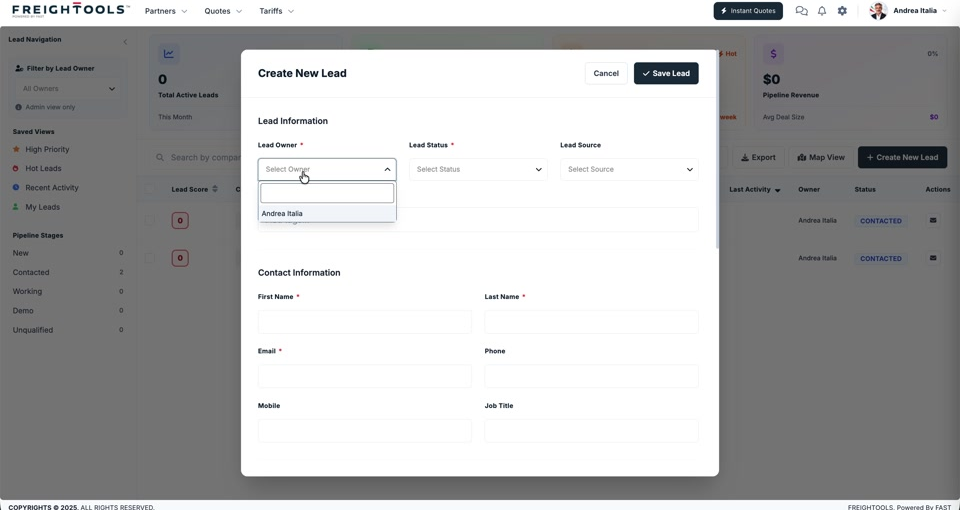
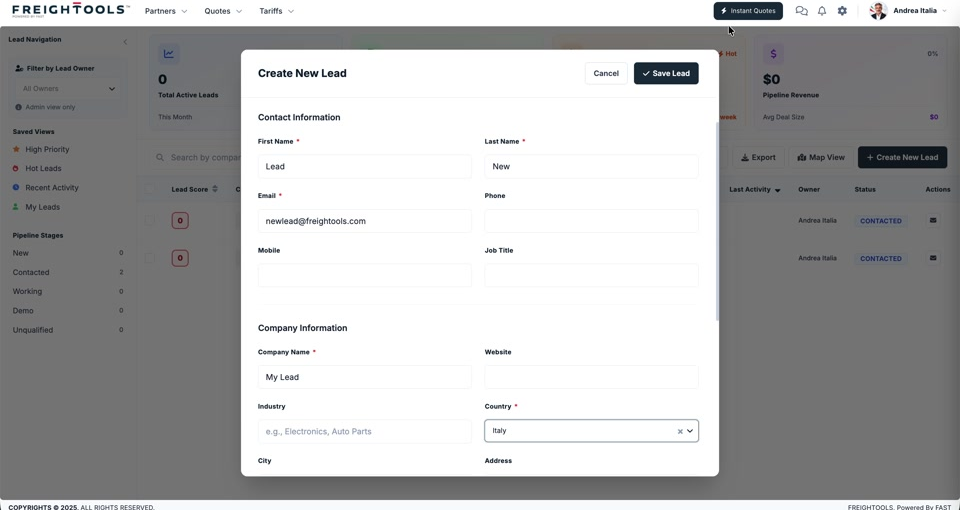
Note: A red asterisk marks every required field. Cancel closes the form without saving.
Work through your leads
The Leads workspace gives you several ways to find what to work on next:
| Tool | Where it is | What it does |
|---|---|---|
| Filter by Lead Owner | top of the left panel | Narrows the list to one owner's leads. |
| Saved Views | left panel | Ready-made lists: High Priority, Hot Leads, Recent Activity, My Leads. |
| Pipeline Stages | left panel | Jumps to a stage — New, Contacted, Working, Demo, Unqualified — with a count beside each. |
| Search | above the grid | Finds a lead by company. |
| Map View · Export | above the grid | Shows leads on a map, or exports the list. |
The cards across the top of the workspace summarise Total Active Leads, Pipeline Revenue
and Avg Deal Size.
What you can do on a lead
Open a lead and a side panel appears with three tabs:
- CRM Activities — log calls and meetings, and read the activity timeline. See
How to log a CRM activity on a lead. - Quote Logs — the quotes raised for this lead, and the button that starts a new one. See
How to start a quotation from a lead. - Contacts — the people attached to the lead. See
How to see the contacts on a lead.