
A customer is the company you quote and invoice. The record you create here is what every
quotation, selling agreement and invoice for that company points at, so it is worth getting the
legal name and currency right the first time.
Open the Customers grid
Open Partners and select Customers. The grid lists every customer with its assigned
code, name, role, class, country, city, currency and email.
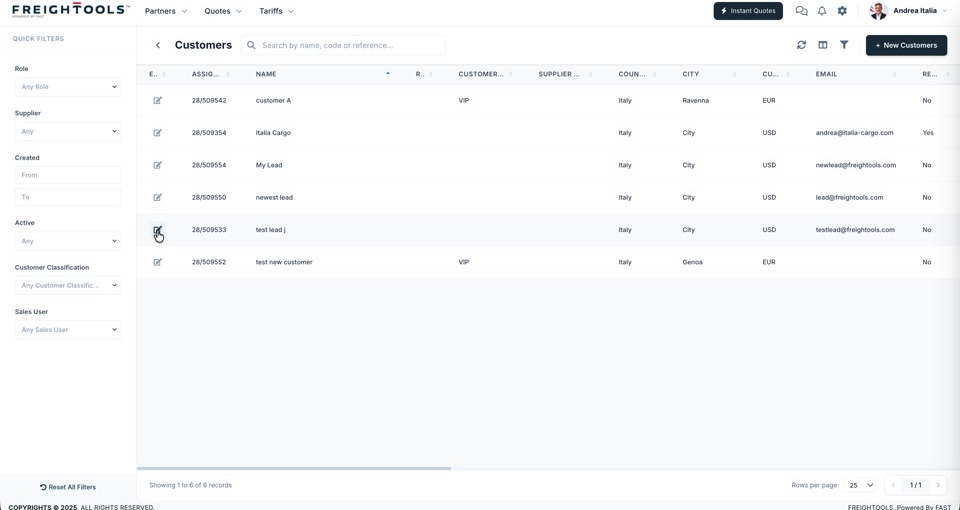
The quick filters on the left narrow the list by Role, Supplier, Created date,
Active, Customer Classification and Sales User. Reset All Filters clears them.
Create the customer
- Click + New Customers at the top right of the grid.
- On the General tab, enter the Customer Name. It is the first of the required fields:
everything marked with a red asterisk — Customer Name here, Name, Legal Entity and
Currency under Basic Information, and Country under Location — has to be filled
in before the customer will save. - Leave Active on unless you are creating a record you do not want used yet.
- Upload a Logo if you have one — 400 × 200 px, PNG or JPG up to 2 MB.
- Set Role and Customer Type if they apply.
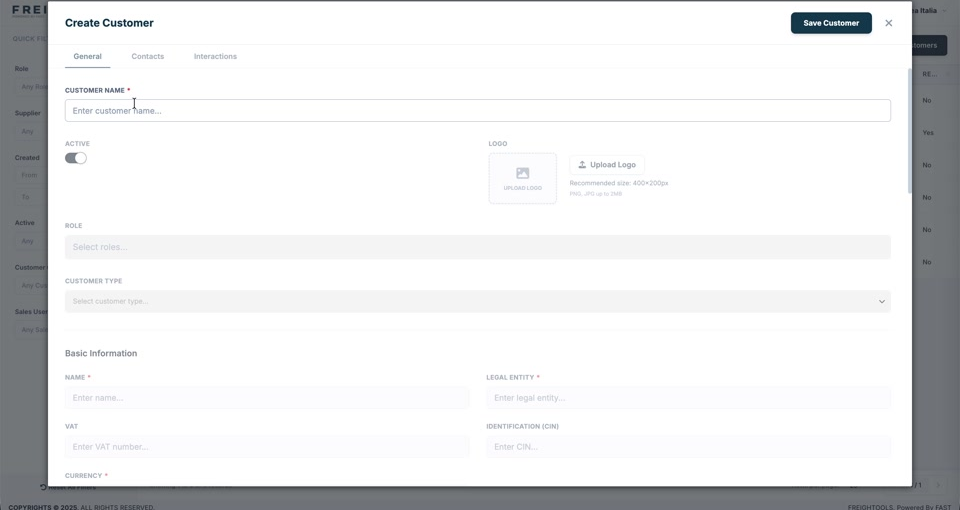
- Fill in Basic Information:
| Field | Notes |
|---|---|
| Name | Required. |
| Legal Entity | Required. The name that belongs on an invoice. |
| VAT | The VAT number. |
| Identification (CIN) | The company identification number. |
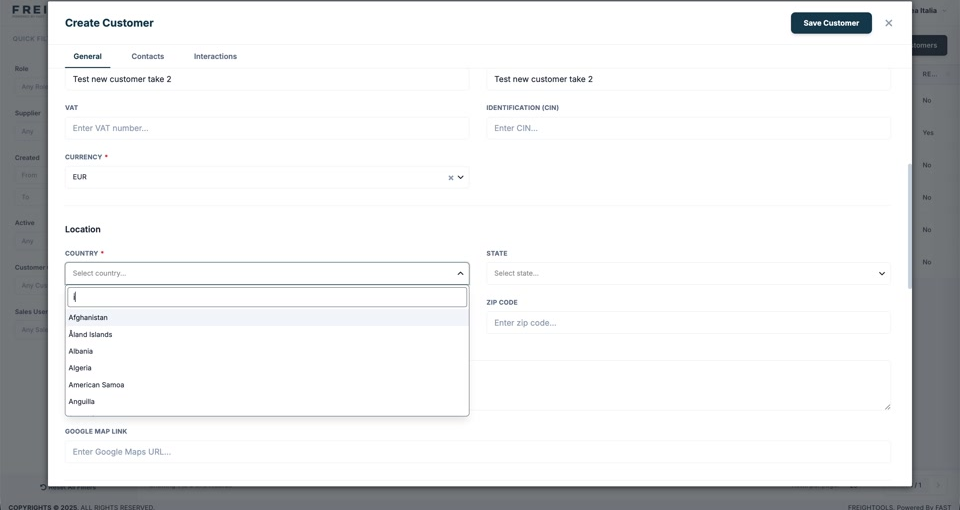
| Currency | Required. The currency this customer is quoted and invoiced in. | - Fill in Location. Country is required; add State, Zip Code, the address and a
Google Map Link when you have them. - Click Save Customer.
When Freightools finds an existing partner
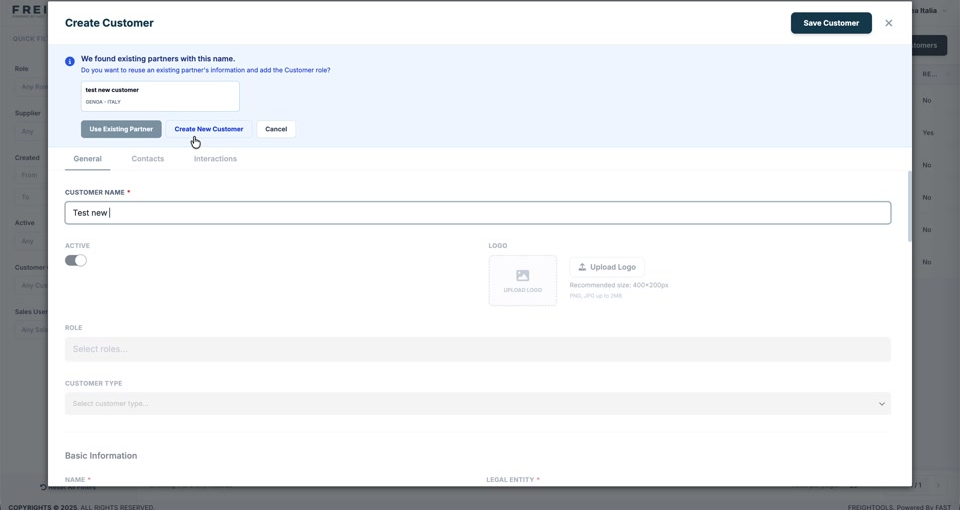
If a partner with that name already exists, a blue panel appears at the top of the form:
*We found existing partners with this name. Do you want to reuse an existing partner's
information and add the Customer role?*
| Button | What happens |
|---|---|
| Use Existing Partner | The existing partner record is reused and the Customer role is added to it. |
| Create New Customer | A second, separate record is created. |
| Cancel | Nothing is created. |
Important: Use Existing Partner is almost always the right answer when the match is
genuinely the same company. One company that is both a customer and a supplier should be one
partner with two roles, not two records — two records split its quotations, agreements and
invoices in half.
The other two tabs
Contacts and Interactions sit beside General. You can fill them in now or come back
to them after the customer is saved.