
Starting a quotation from inside the lead keeps the two connected: the quote appears in the
lead's own history, and anyone who opens the lead later can see what was offered.
Start the quotation
- Open Partners → Leads and click the lead.
- In the side panel, select Quote Logs.
- Read Quote History to see what has already been quoted. A lead with nothing yet shows
No quote history found for this lead. - Click New Quote.
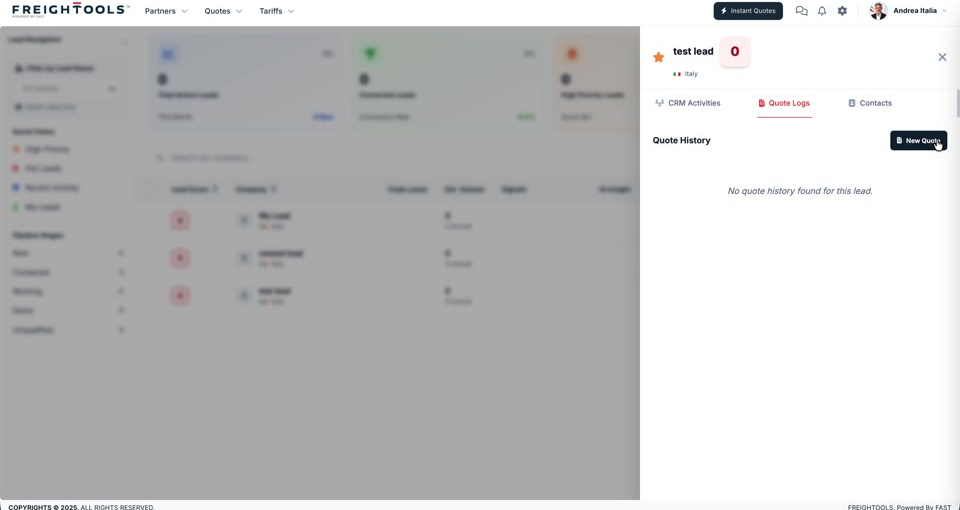
Freightools takes you into the quotation itself from here. Building, pricing and sending it works
the same way as any other quotation — see
How to search Instant Quote manually for the rest of
that flow.
Note: Always check Quote History before you start a new quote. If a colleague has
already quoted this lead, you want to know what they offered before you send a second number.