
Below Core Configurations on Settings → Company → Basic Info are four cards that
describe your company to everyone outside it: how to reach you, where you are, the services you
sell and the networks you belong to.
Contact details and address
- Open Settings → Company → Basic Info and scroll below Core Configurations.
- Under Contact Information, fill in Telephone, Fax, Website and
WhatsApp Number. - Under Company Address, fill in Address Line, City, State and Zip Code.
- Tick This is the company headquarters if this address is your head office.
- Click Save Changes.
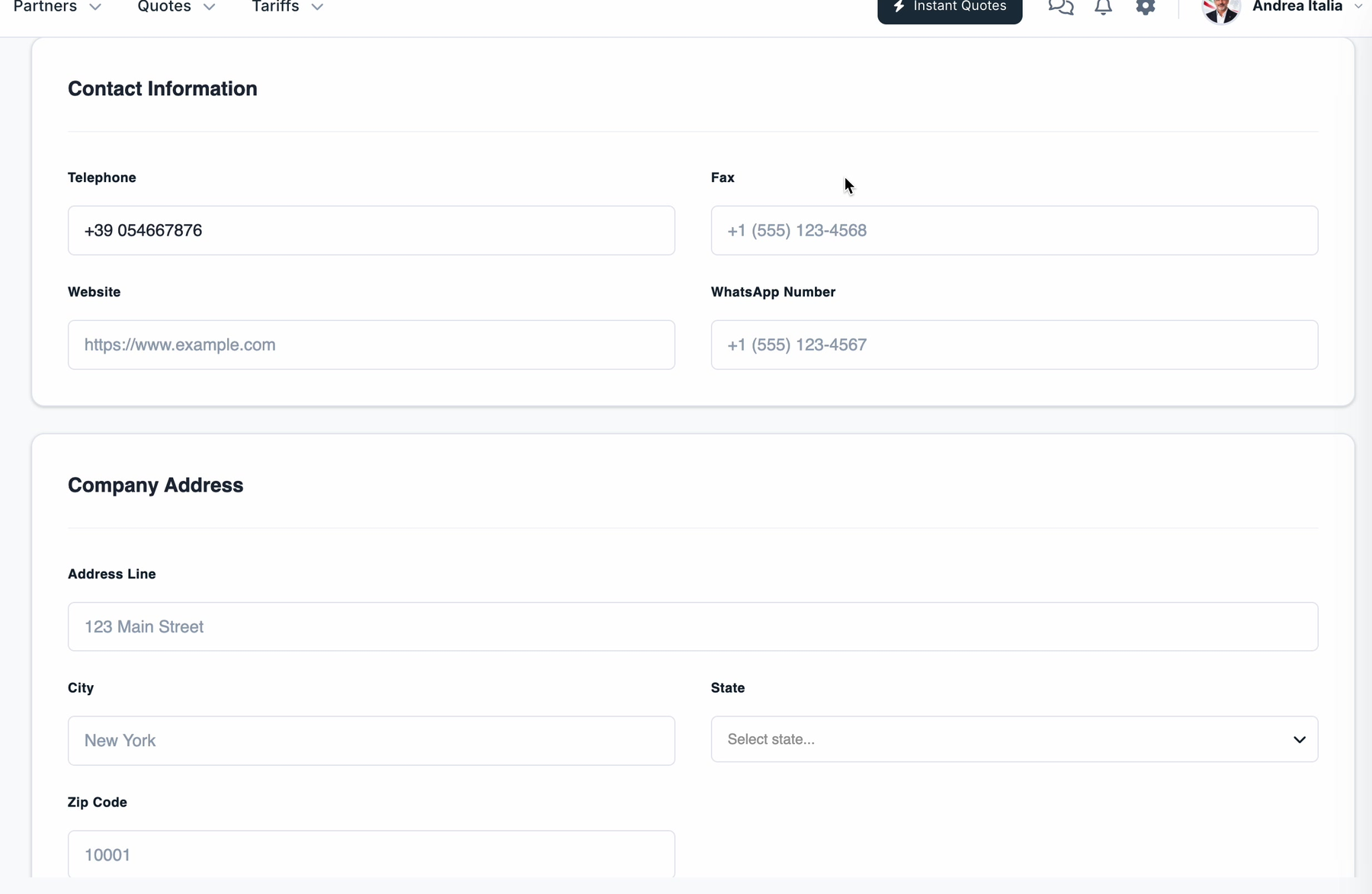
Note: This is your company's main address. Individual branch addresses are kept separately
— see How to add and manage company offices.
Services and networks
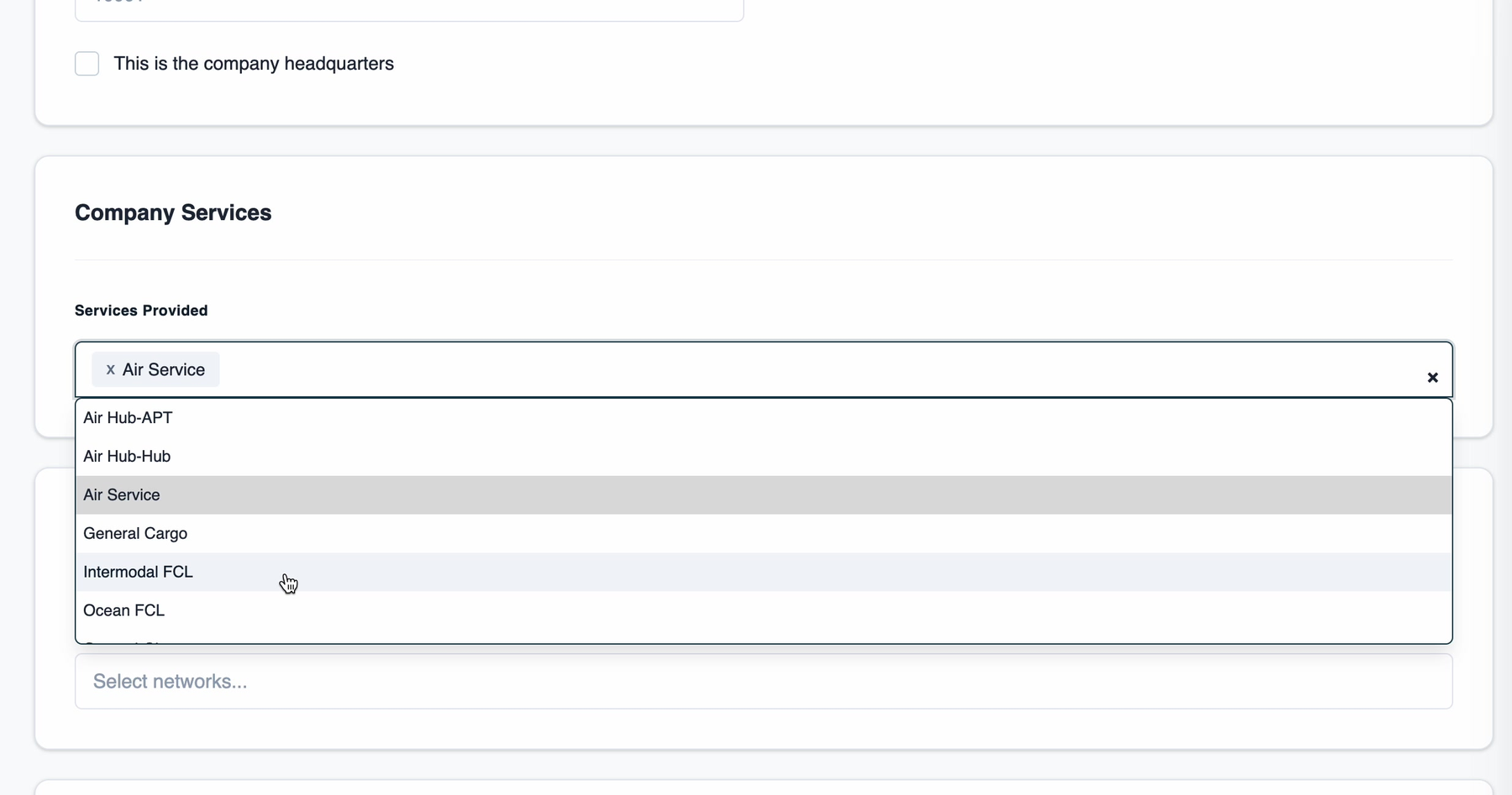
Services Provided is a multi-select list of the freight services your company offers. The
list includes entries such as Air Hub-APT, Air Hub-Hub, Air Service,
General Cargo, Intermodal FCL and Ocean FCL. Pick every service you actually sell —
each one you add appears as a removable tag in the field.
Directly below it, a second card holds a matching multi-select for freight networks — when empty
the field reads Select networks.... Use it to record the freight networks your company
belongs to.
Click Save Changes when you have finished.