
Core Configurations holds the values Freightools uses when nothing more specific has been
chosen — the currency a new quotation opens in, the units your weights and dimensions are read
in, and how long a sales proposal stays valid. The same section switches on automatic follow-up
reminders for proposals you have sent.
Set the core defaults
- Open Settings → Company → Basic Info and scroll to Core Configurations.
- Set Company Currency.
- Set Company Country.
- Set Default UM — the unit of measure, for example
kg/cm. - Set Default Sales Proposal Validity Period (days).
- Click Save Changes.
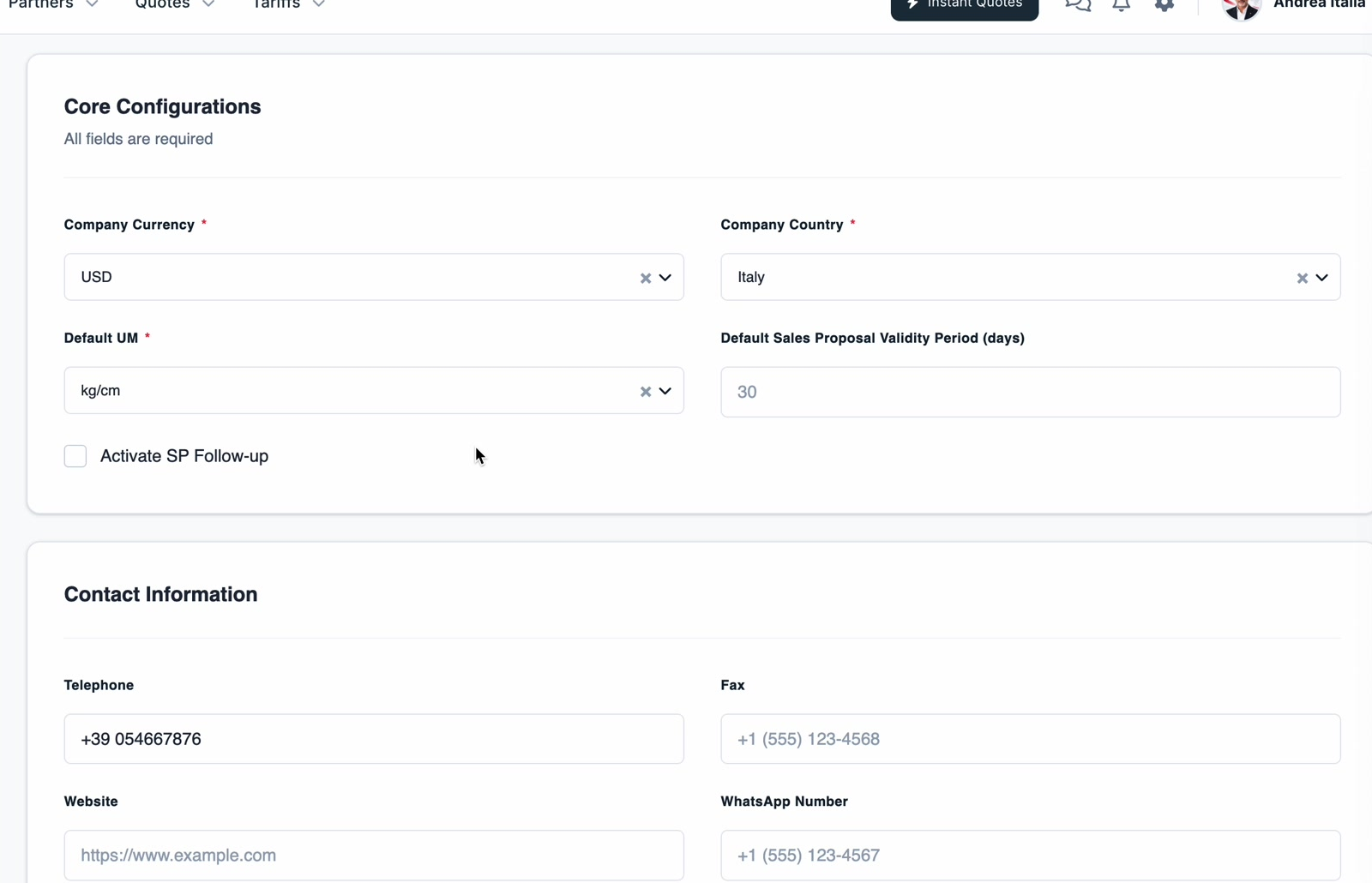
Important: The section is headed All fields are required, and Company Currency,
Company Country and Default UM each carry a red asterisk — fill all three in before you
click Save Changes. Default Sales Proposal Validity Period is not asterisked.
Switch on sales-proposal follow-ups
Tick Activate SP Follow-up. Three timing fields appear:
| Field | Counted from | Typical use |
|---|---|---|
| Reminder 1 (days after sent) | the day the proposal was sent | a first nudge, e.g. 1 day |
| Reminder 2 (days after sent) | the day the proposal was sent | a second nudge, e.g. 3 days |
| Expiration reminder (days before expiration) | the proposal's expiry date, counting backwards | a last chance, e.g. 2 days |
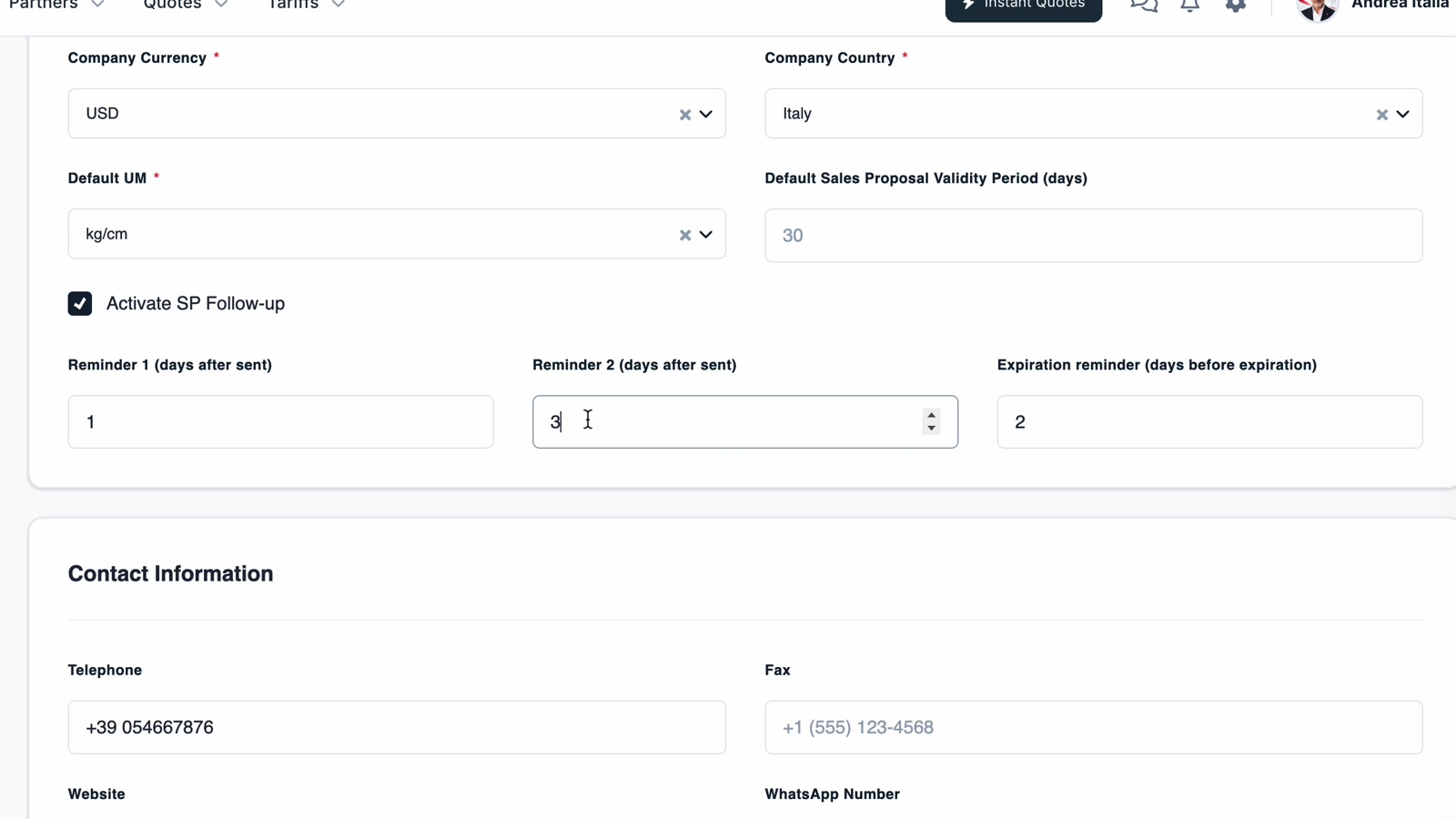
Both reminders count forward from the send date, so Reminder 2 should be the larger number. The
expiration reminder counts backwards from the expiry date, which is the validity period you set
above.
Click Save Changes when you are done. Clearing Activate SP Follow-up hides the three
fields again and stops the reminders.