
A shipment partner is a company that appears on a shipment rather than on the commercial
paperwork — the party that hands the cargo over, the party that receives it, or both. Its type
is what tells Freightools which of those it is.
Set the type
- Open Partners → Shipment Partners and create or open the partner.
- On the General tab, find Shipment Partner Type.
- Choose the type:
| Type | Use it when the company |
|---|---|
| Shipper | sends the cargo. |
| Consignee | receives the cargo. |
| ShipperConsignee | does both, on different shipments. | - Fill in the rest of the partner's details.
- Click Save Shipment Partner.
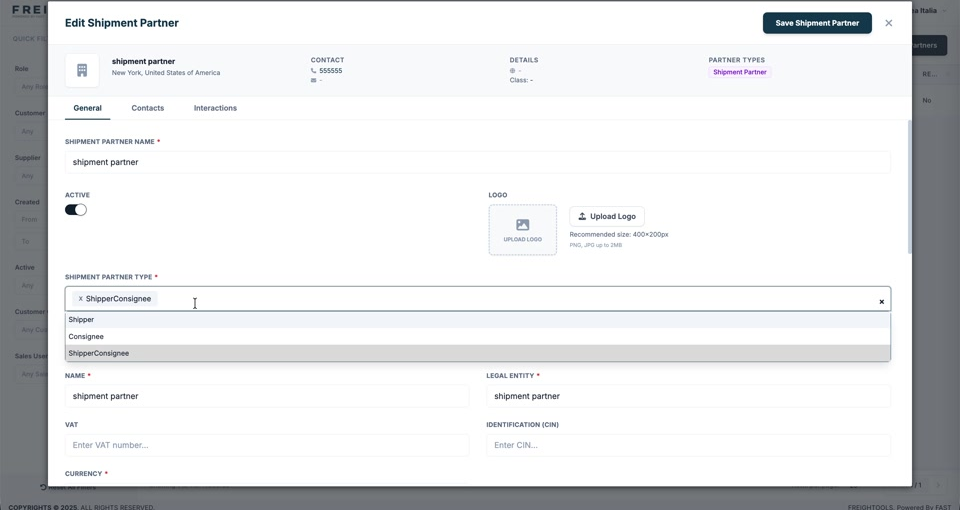
Important: Shipment Partner Type is required — you cannot save without it.
Note: Pick ShipperConsignee if the company appears on both sides of your business at
different times. Choosing only one type means it will not be offered on the other side of a
shipment.