
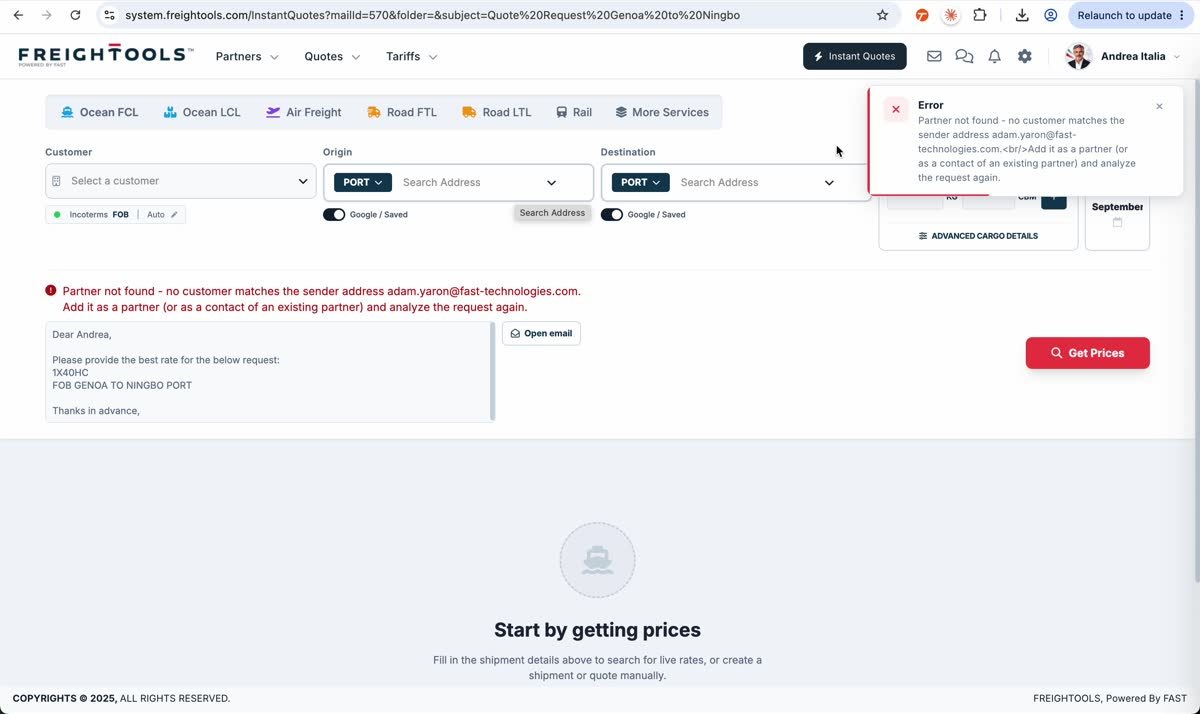
Freightools uses the sender email address to associate an analyzed quotation request with a customer. If no customer or customer contact matches that sender address, the quote analysis displays Partner not found.
The error
After Analyze Quote Request, the recorded example opens Instant Quote but shows Partner not found because no customer matches the sender email address. The source email remains visible with Open email.
Add the sender to the correct customer
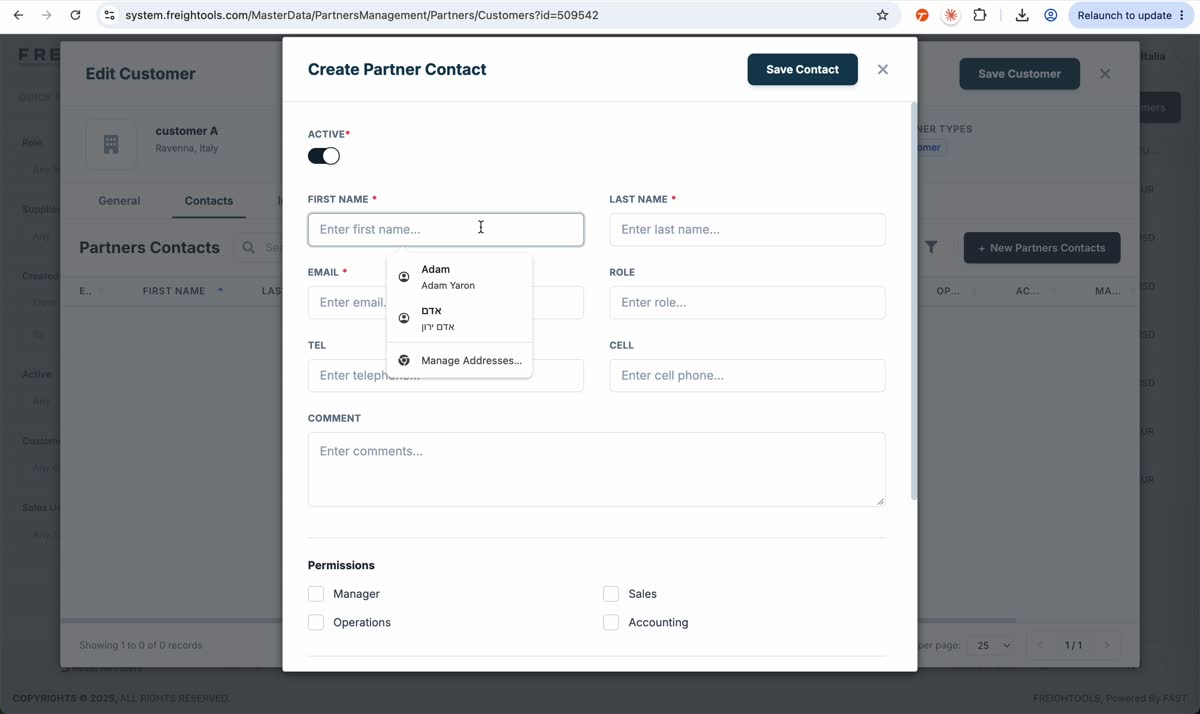
- Open the customer that should own the sender email address.
- Open the customer's Contacts tab.
- Click New Partners Contacts.
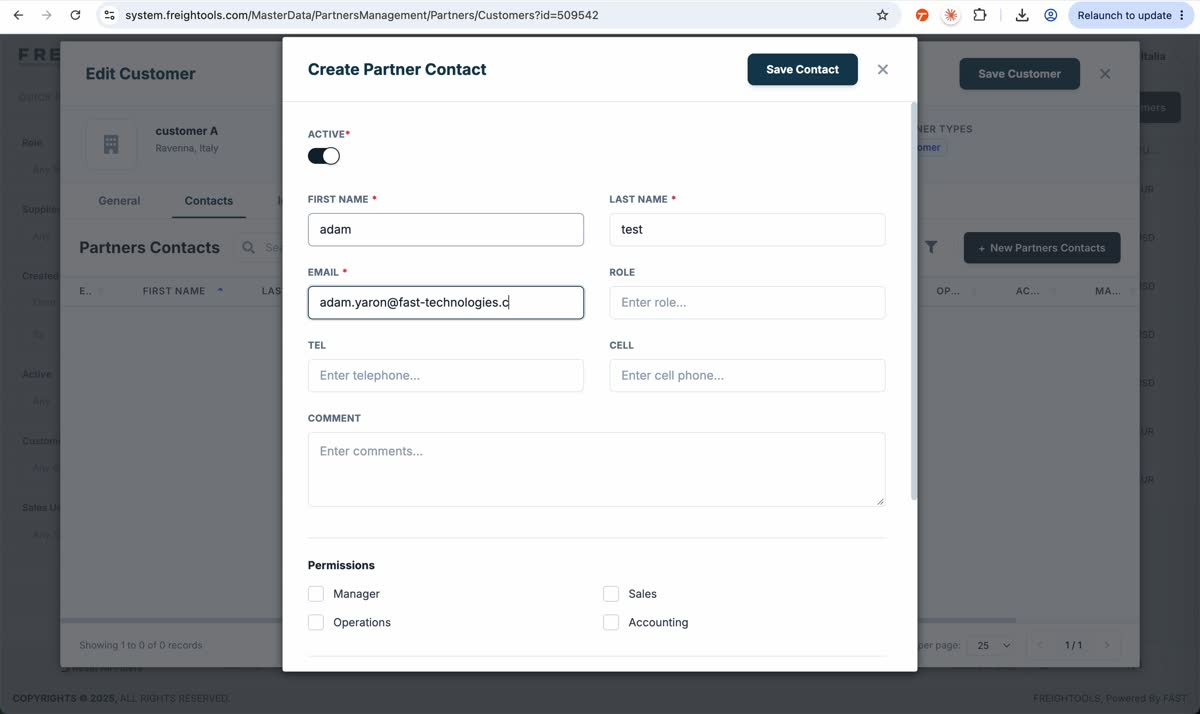
- In Create Partner Contact, keep Active enabled when appropriate.
- Enter First Name, Last Name and the sender address in Email. Add the other contact fields when needed.
- Click Save Contact.
Analyze the request again
- Return to the personal Mailbox.
- Reopen the same quotation-request email.
- Click Analyze Quote Request again.
- In the recorded retry, the sender now matches the customer and the extracted shipment data is loaded into Instant Quote.
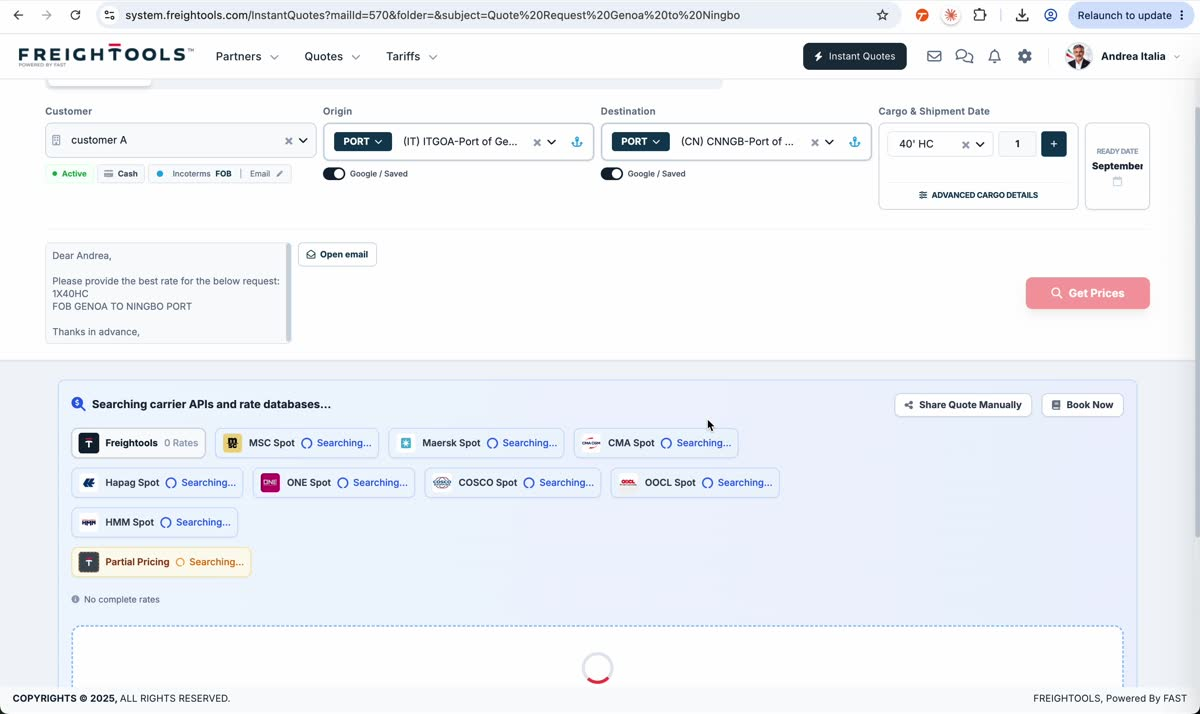
For the complete email-to-quote flow, see /help/how-to-create-an-instant-quote-from-a-quotation-request-email.