
AI Email Intelligence makes incoming email easier to triage by attaching structured signals to each message in Freightools. The classification runs inside a private Freightools AI environment; email content is not sent to an external AI provider for this classification.
What Freightools identifies
Each incoming email can receive three independent types of signals:
- Content — what the email is about.
- Priority — how urgent the email is.
- Tone — the emotional tone of the sender.
Freightools documents these content categories: Invoice, Quotation Request, Booking, Shipment Update, Customs, Complaint, General and Spam / Marketing. One email can carry more than one content category.
Priority is classified as Low, Normal, High or Urgent. Tone is classified as Neutral, Positive, Negative or Angry.
Read the AI signals in the mailbox
- Open the personal Mailbox.
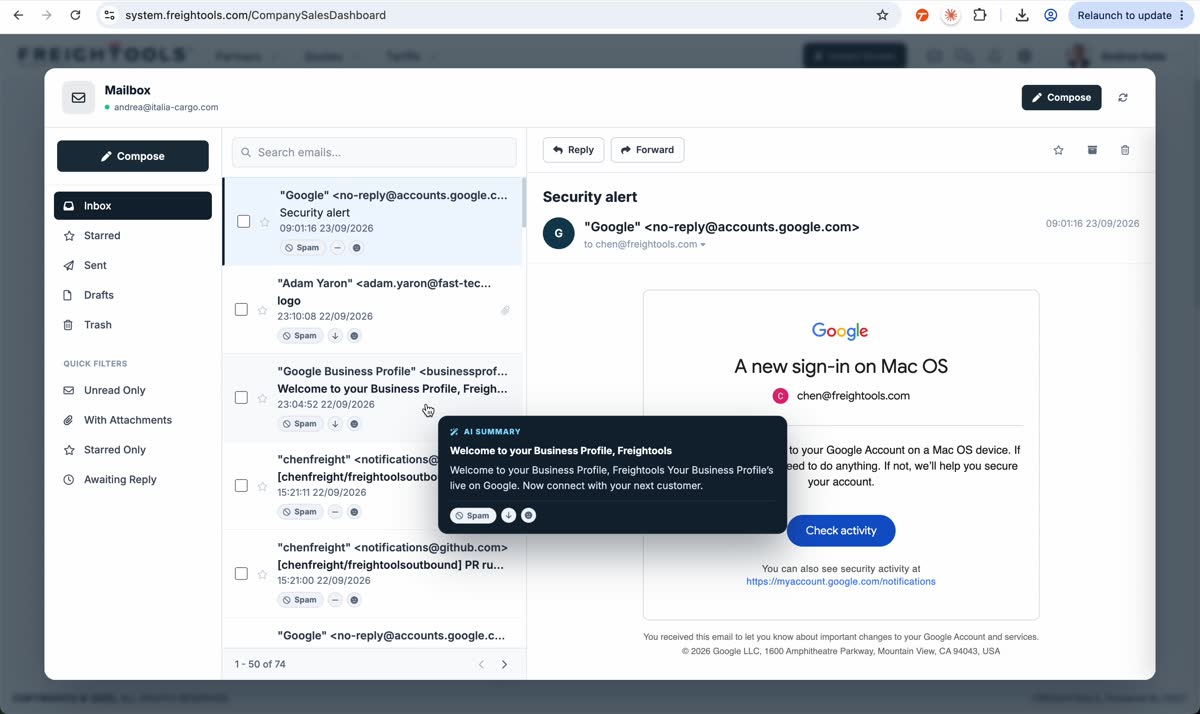
- Review the badges and AI indicators shown on each email row.
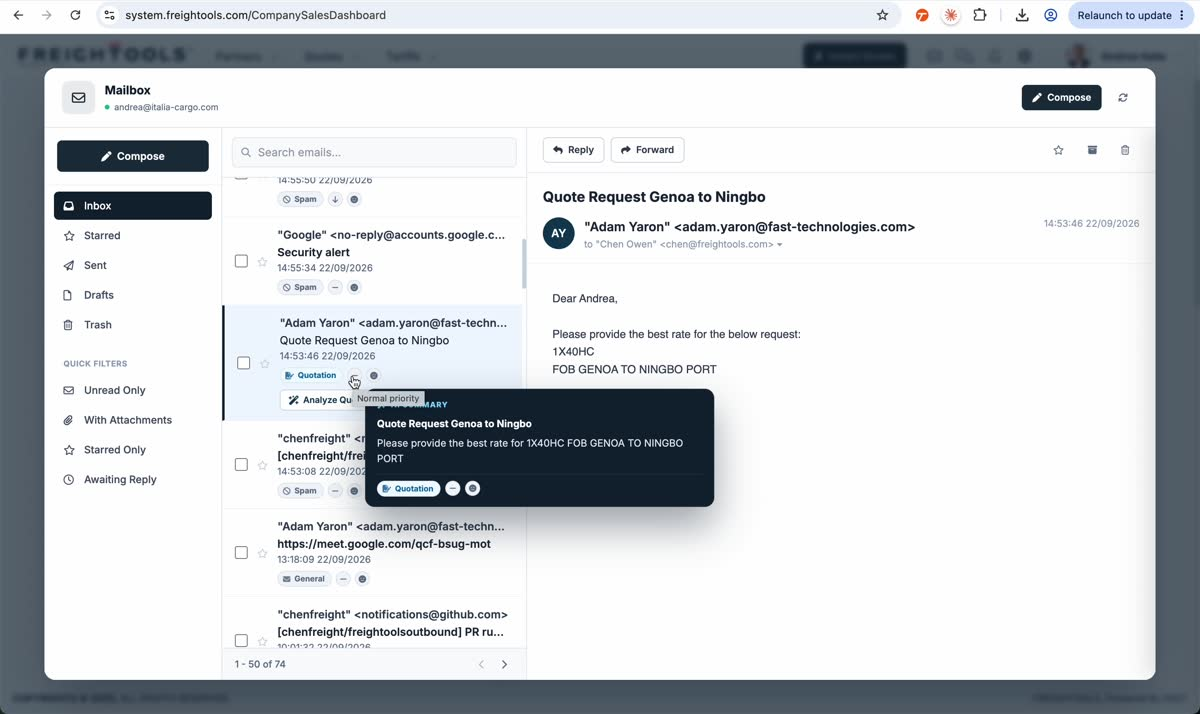
- Hover the AI analysis indicator to open AI Summary and read the generated summary together with its classification signals.
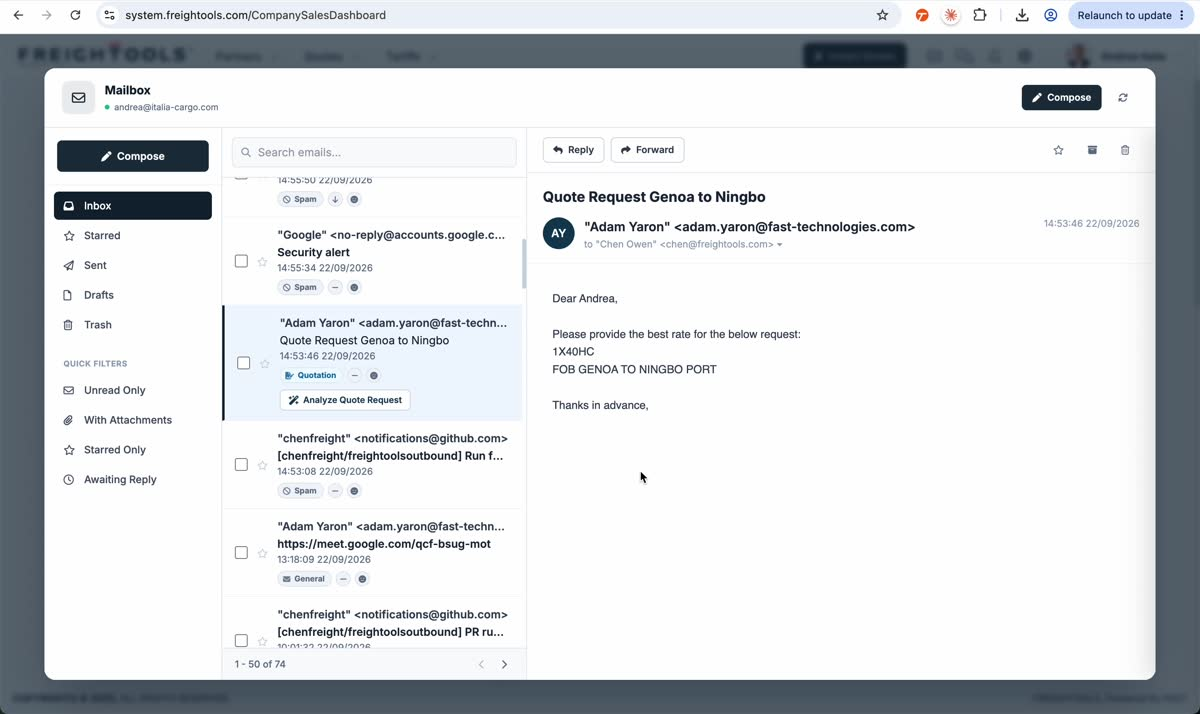
A quotation-request email is identified in the recorded mailbox with a Quotation badge. The same row also exposes Analyze Quote Request because the email has been recognized as a quotation request.
Privacy and behavior
For email classification, the content is analyzed in the private Freightools AI environment and the structured result is returned to the workspace. The public AI Email Intelligence documentation states that external AI provider APIs are not used for the email content.
AI Email Intelligence classifies the email; it does not automatically reply, delete or move the message.
More product detail is available at /services/ai-email-intelligence.